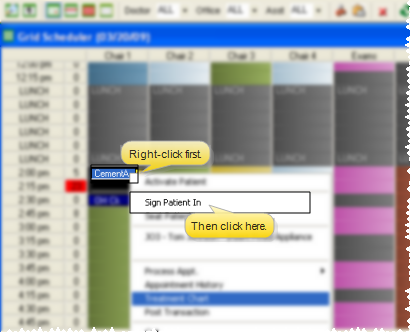
Sign in from Grid Scheduler - Right-click the patient's appointment and select Sign Patient In. If the appointment is overbooked, first double-click the patient you want to sign in, then confirm your choce.

Your staff can check patients into your office at any
Your patients can also check themselves in from a dedicated Patient Sign In station. (See "Use Patient Sign-In" for details.)
Sign in from Grid Scheduler - Right-click the patient's appointment and select Sign Patient In. If the appointment is overbooked, first double-click the patient you want to sign in, then confirm your choce.
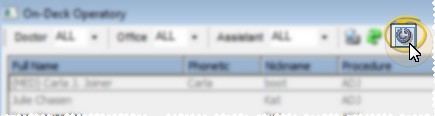
Sign in from On-Deck Operatory - Click Sign-In from your On-Deck Operatory toolbar, and select the patient to check into your office. (Only patients with appointments today are included in the list.)
Show/hide example
Click Sign-In.
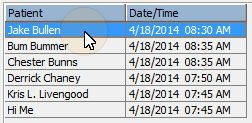
Double-click the patient to sign in.
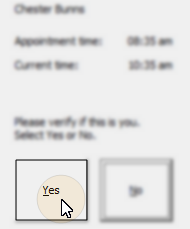
Confirm your choice.
Alert bypass - Alerts and appointment messages are not issued when the patient is not signed in via the Patient Sign In screen.
 │
│  │
│  │
│ 
Ortho2.com │1107 Buckeye Avenue │ Ames, Iowa 50010 │ Sales: (800) 678-4644 │ Support: (800) 346-4504 │ Contact Us
Chat with Software Support │Chat with Network Engineering │ Chat with New Customer Care
Remote Support │Email Support │ Online Help Ver. 12/18/2015


